







Maya Ketter

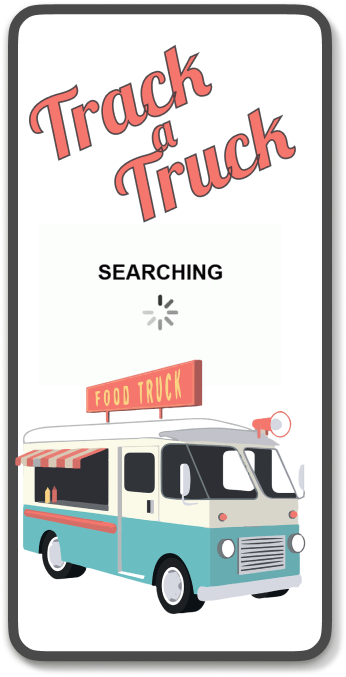
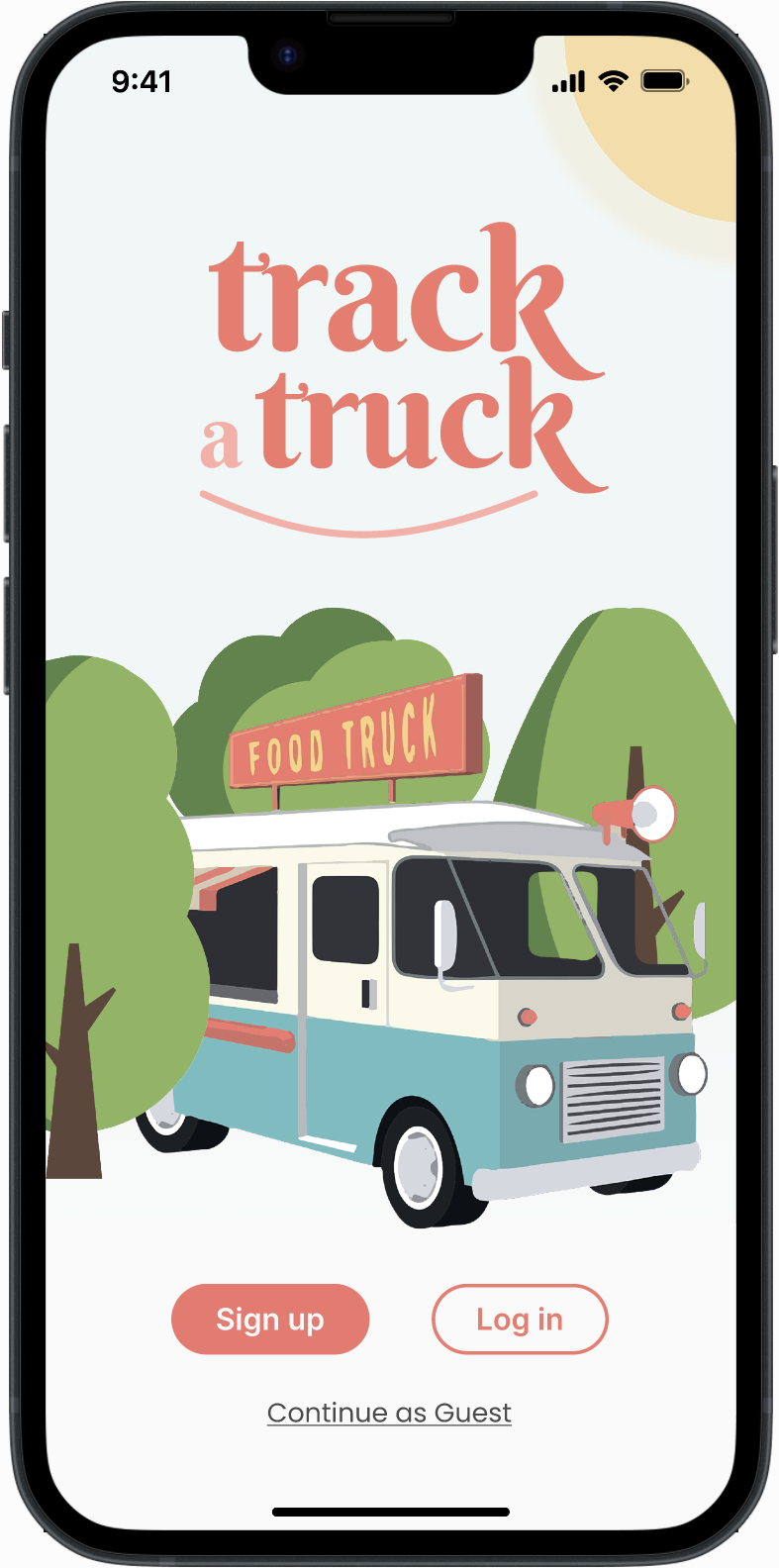
Splash mockup Mobile

"I love waiting in queues!"

- Said no one, ever

Track a Truck addresses a common frustration for food truck enthusiasts: the difficulty of locating and ordering from their favorite trucks.

Users often face the challenge of aimlessly searching for food trucks or waiting in long queues, wasting precious time and missing out on limited menu items.

1 Difficulty in finding new food trucks and tracking their locations.​

2 Long queues and wait times.

3 Frustration of missing out on popular menu items due to limited availability.

I can’t believe it! 20 mins to get my coffee and sandwich 😫
Not again!
Last time they’d run out of sandwiches by 9:30
Maybe try somewhere else next time?
Do you know any good food trucks?
I know JUST the right app for it! And you can preorder and skip the line!
Mindblown!

User Research Insights

Using an online survey, I performed a user research among the audience and clients of Food Trucks.

The key conclusions based on 72 respondents :

  • 93% of the respondents responded they had been to a food truck at least once during the past year.
  • 27.5% have waited for about half an hour and 7.2% up to an hour.
    One user reported a wait of over an hour (!)

Competitor Research

Google Maps
Google Maps
Easy

UX Wireframes

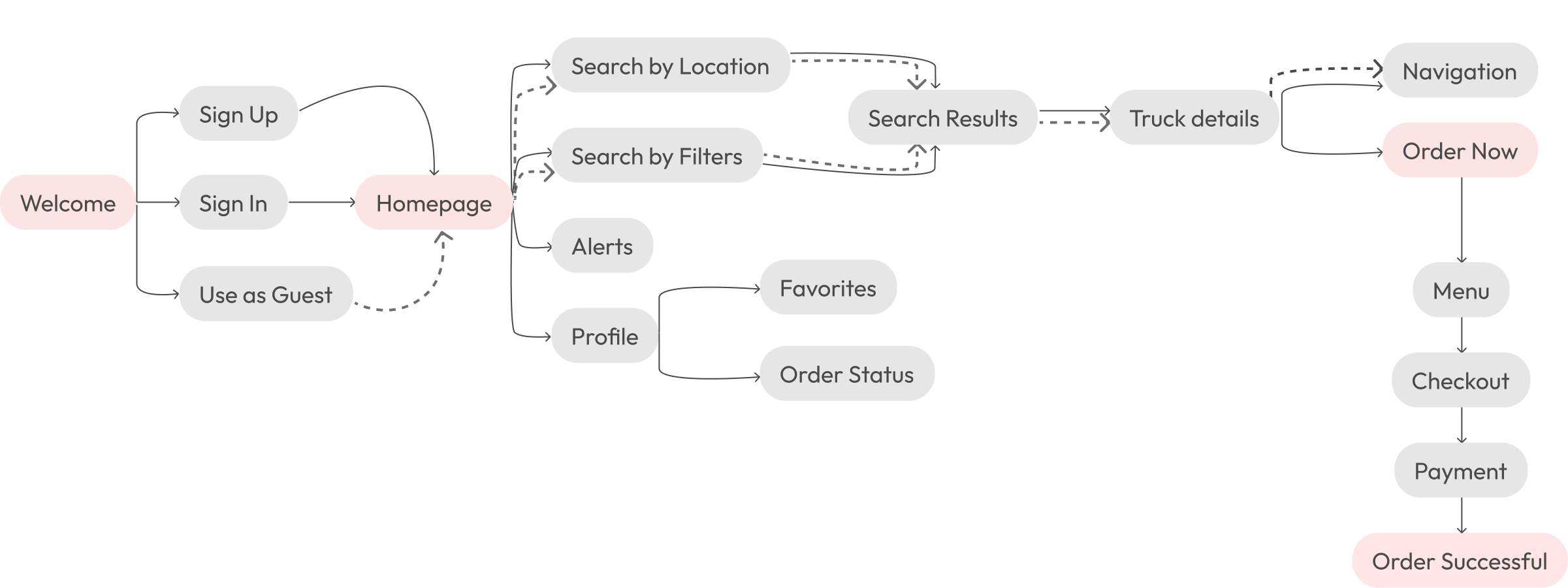
User Flow

App UI

Welcome

The app features options to sign up, log in, or continue as a guest, providing a seamless and personalized experience for users.

The Order Now option is available for signed-in users only, and guests are only able to search for trucks.

Track a Truck Mockup
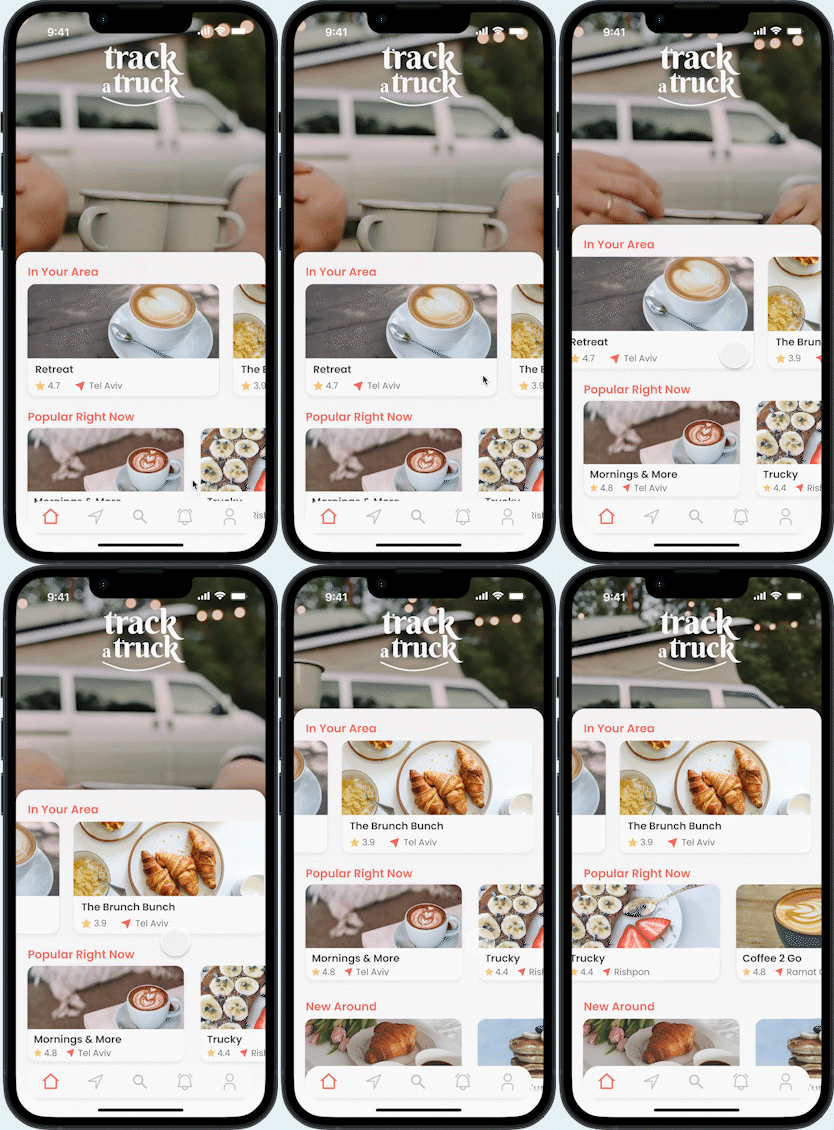
Truck a Truck Home

Home Screen

The home screen provides the users with the top trucks in their area, Popular Trucks, and New Trucks in their area.

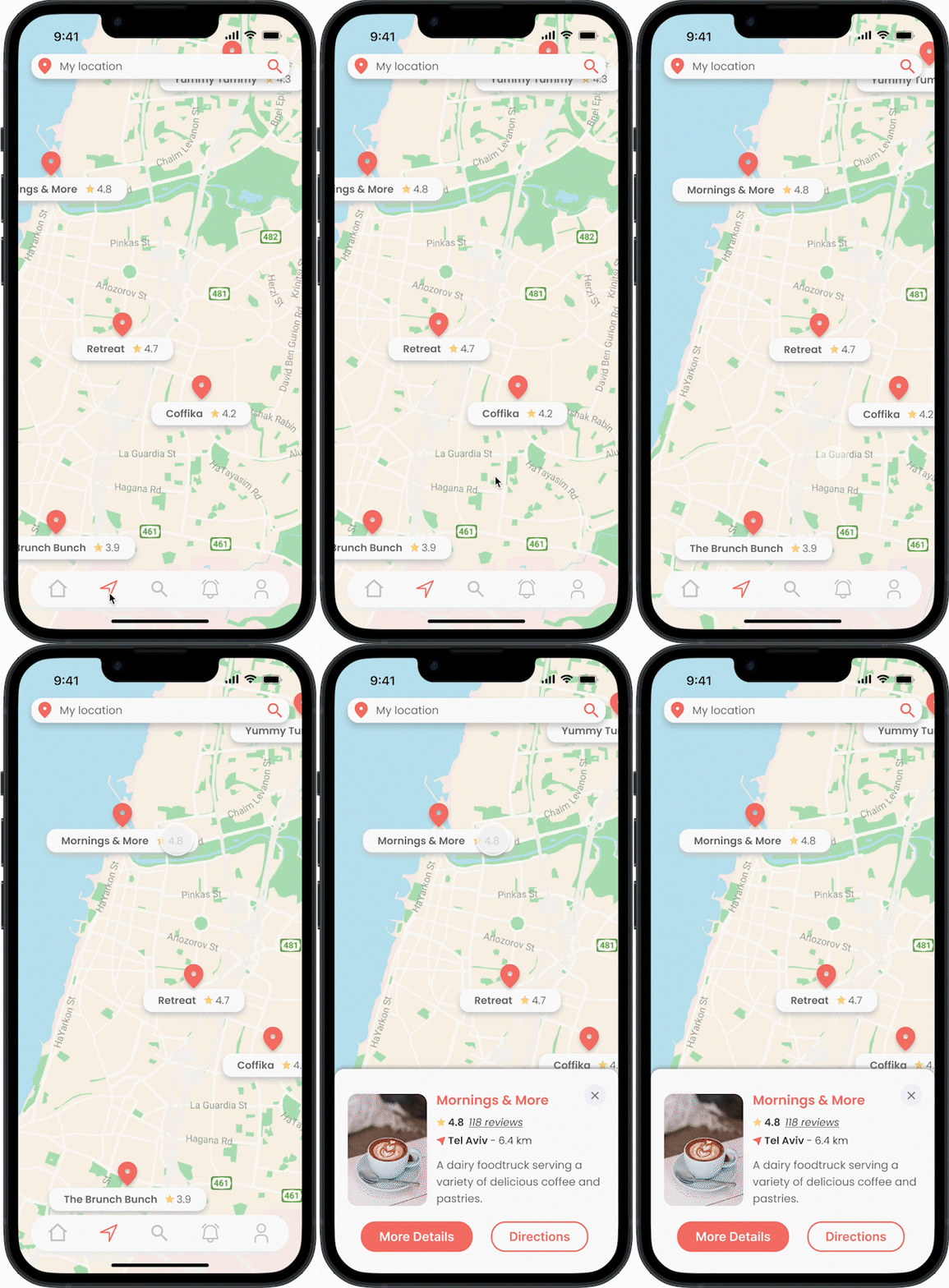
Search By Location​

Users can search for trucks using a map view search based on their current location or type their desired location (for example – the area of their upcoming vacation).

Search by Location
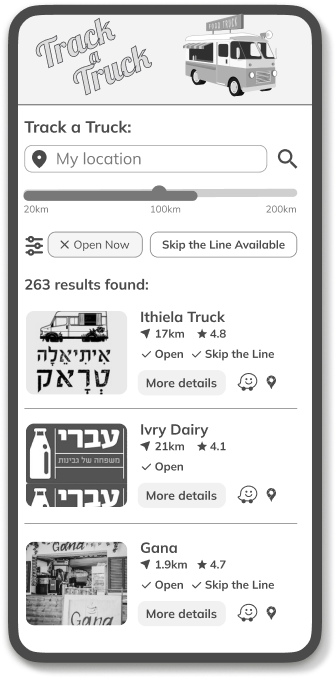
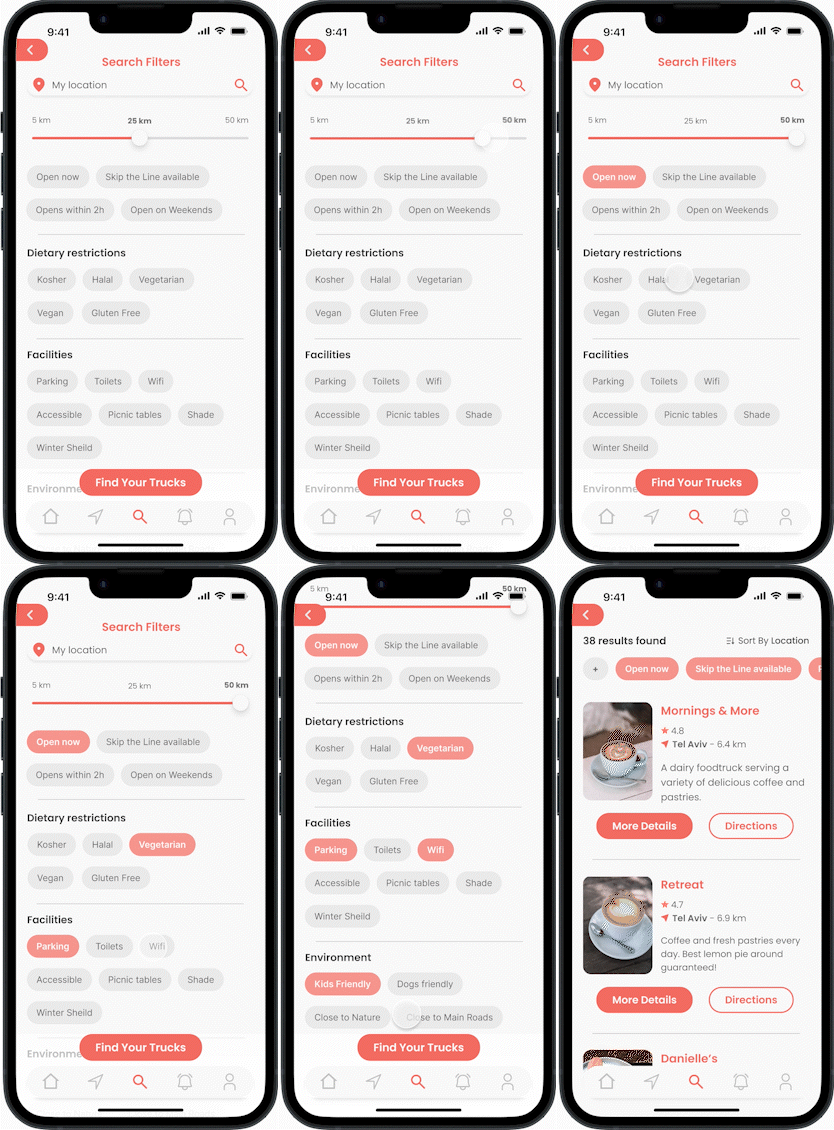
Search by Filters

Search By Filters​

Users can also search for trucks based on their desired filters such as distance from their current / desired location, opening times, dietary restrictions, facilities, environment, and more.

The filters are based on ideas provided by the respondents in my user research survey.

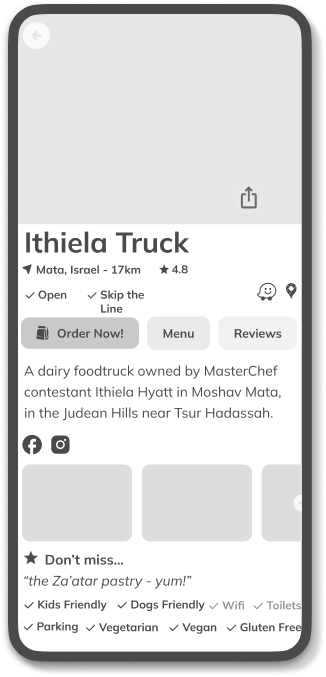
Truck Details​

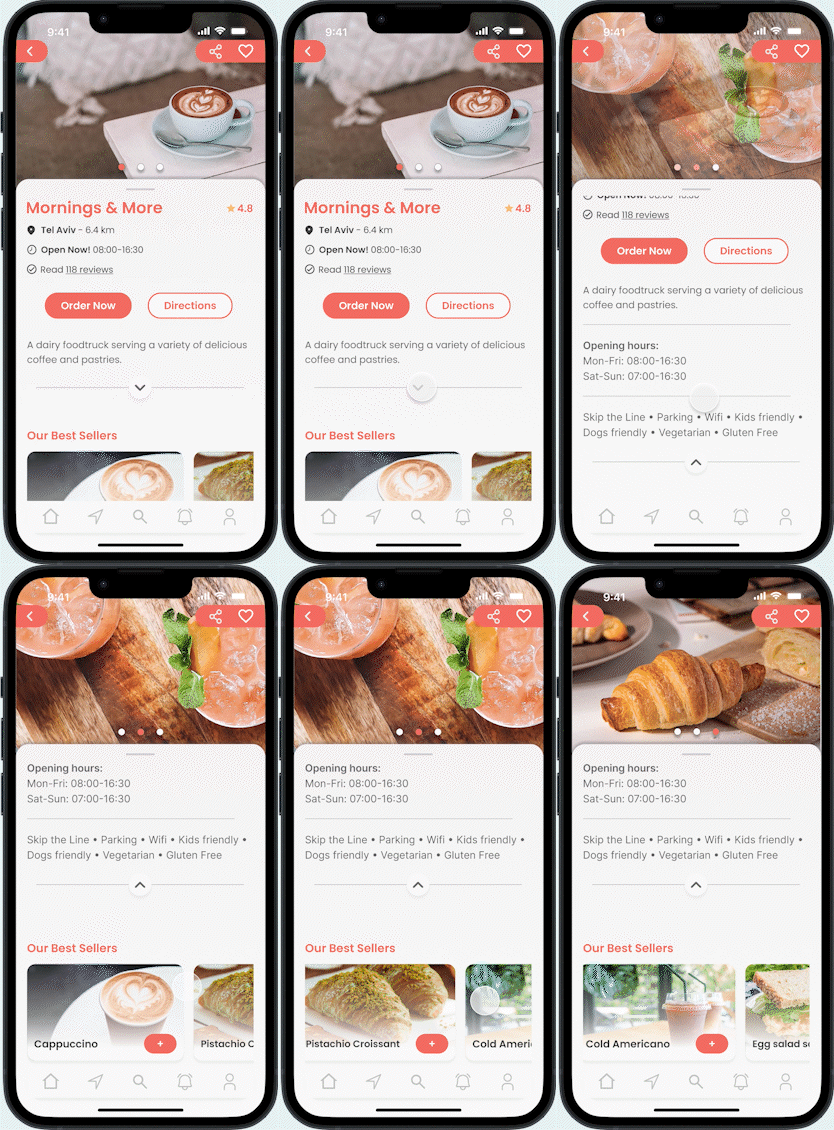
The Truck details page provides basic information about the truck such as location and distance, opening hours (with current status), user ratings & reviews, best sellers, and more.

Users can use the Order Now option to preorder from the truck.
The Directions button navigates to the truck using Waze, Google Maps, or Apple Maps.

Truck Details
Truck a Truck Share

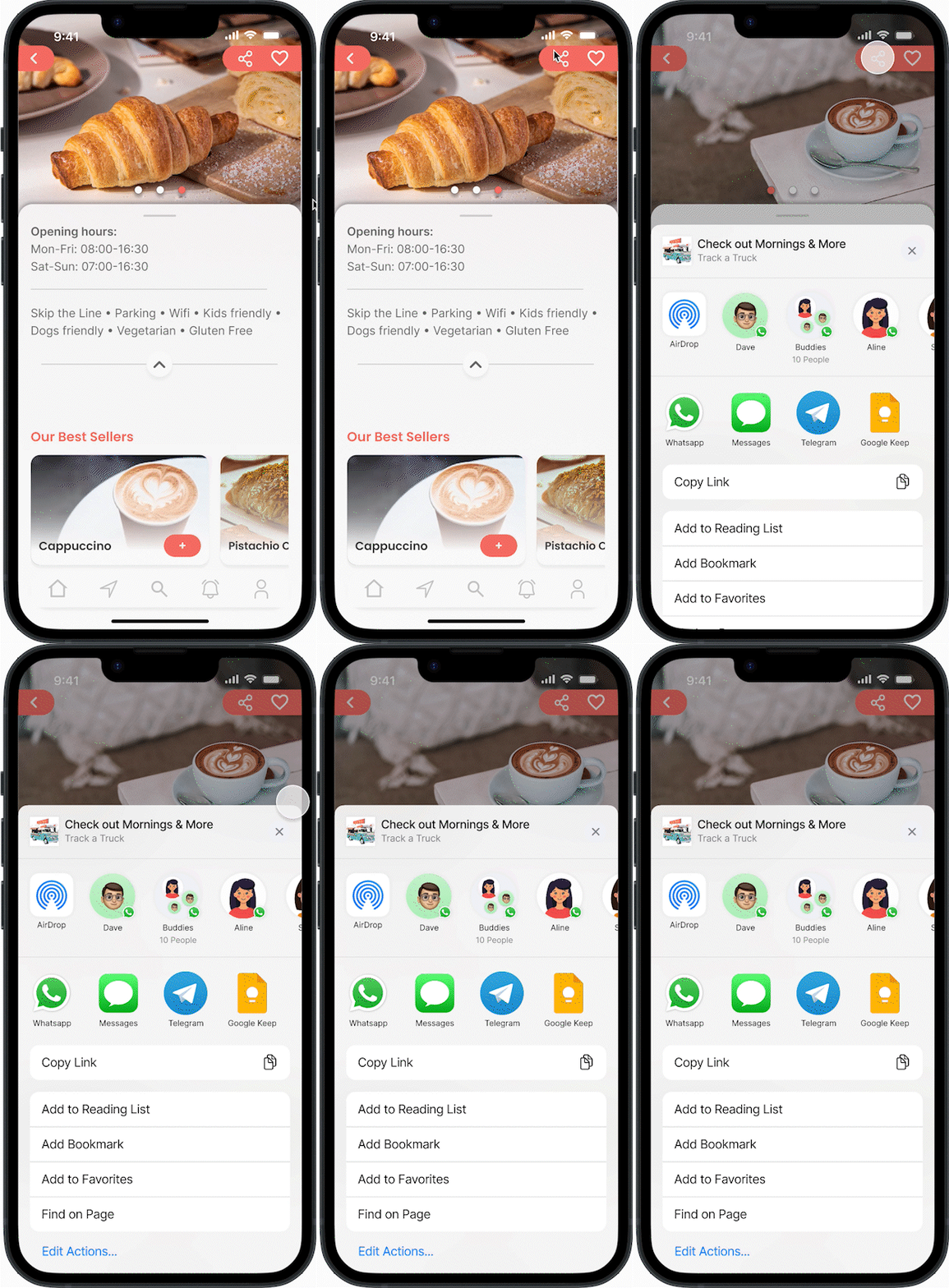
Like & Share​

Users can save their favorite trucks and enable updates if they wish.

They can also share the truck with their friends & family using AirDrop, WhatsApp, etc.

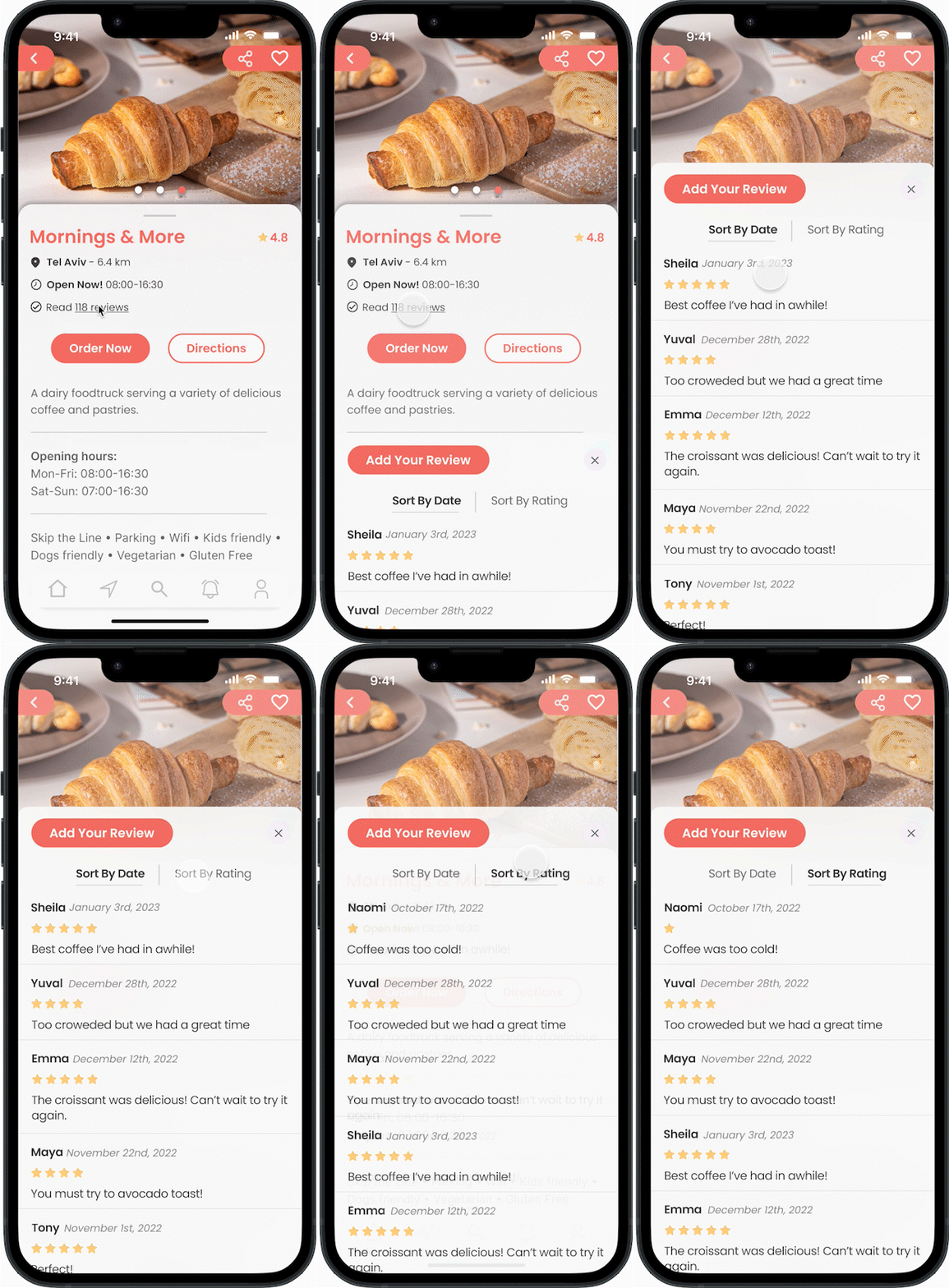
Reviews

Users can read reviews based on date/rating.
They can also add their own review if they wish.

Truck a Truck Reviews
Order Now

Order Now

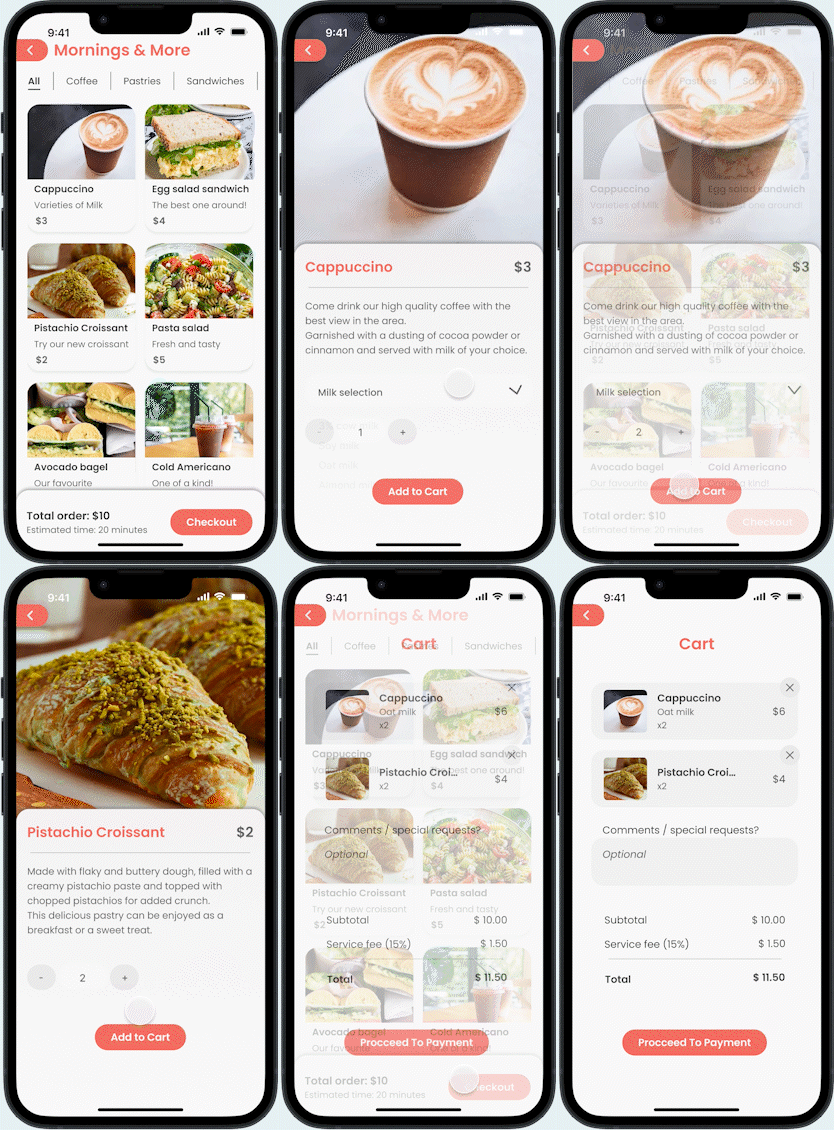
An interactive menu where the users can preorder and skip the lines!
Users can filter the products and add them to the cart.
The app also provides the estimated time for the order to be ready for pick-up.

This option is available to signed-in users only.

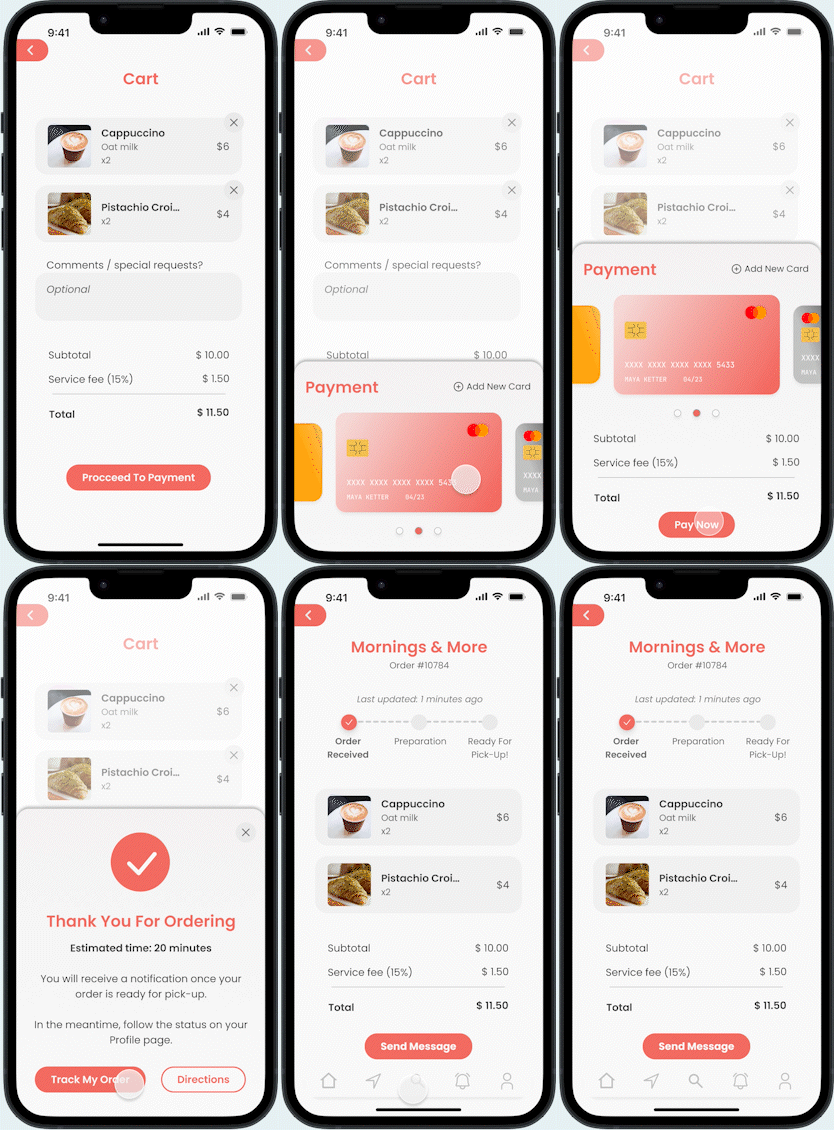
Checkout

Once the users have added their selection to the cart, they can proceed to checkout and have their order waiting for them.
Checkout
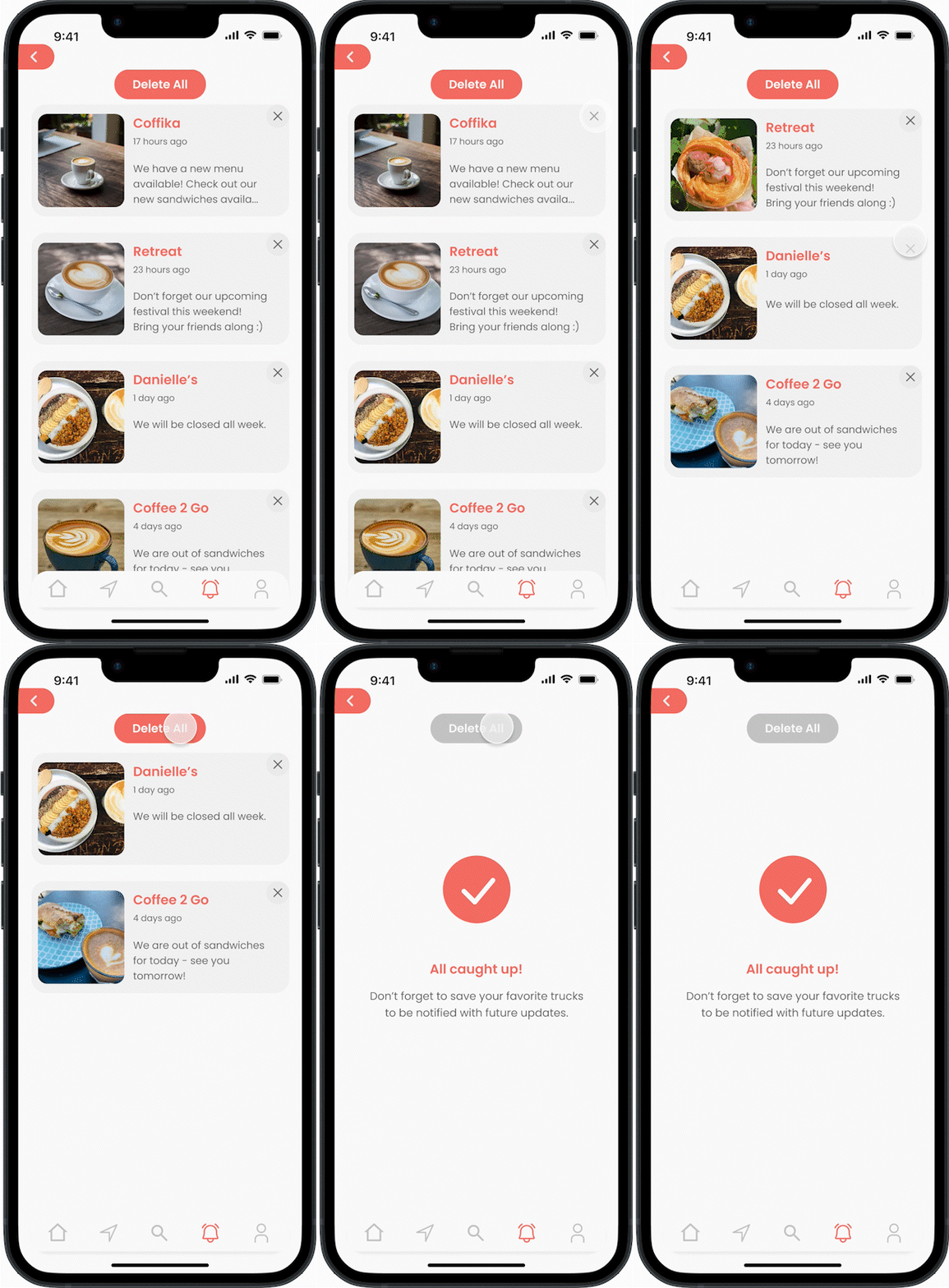
Track a Truck Alerts

Alerts

Users can receive alerts & updates from their favorite trucks, such as special events, new menu items, and more.

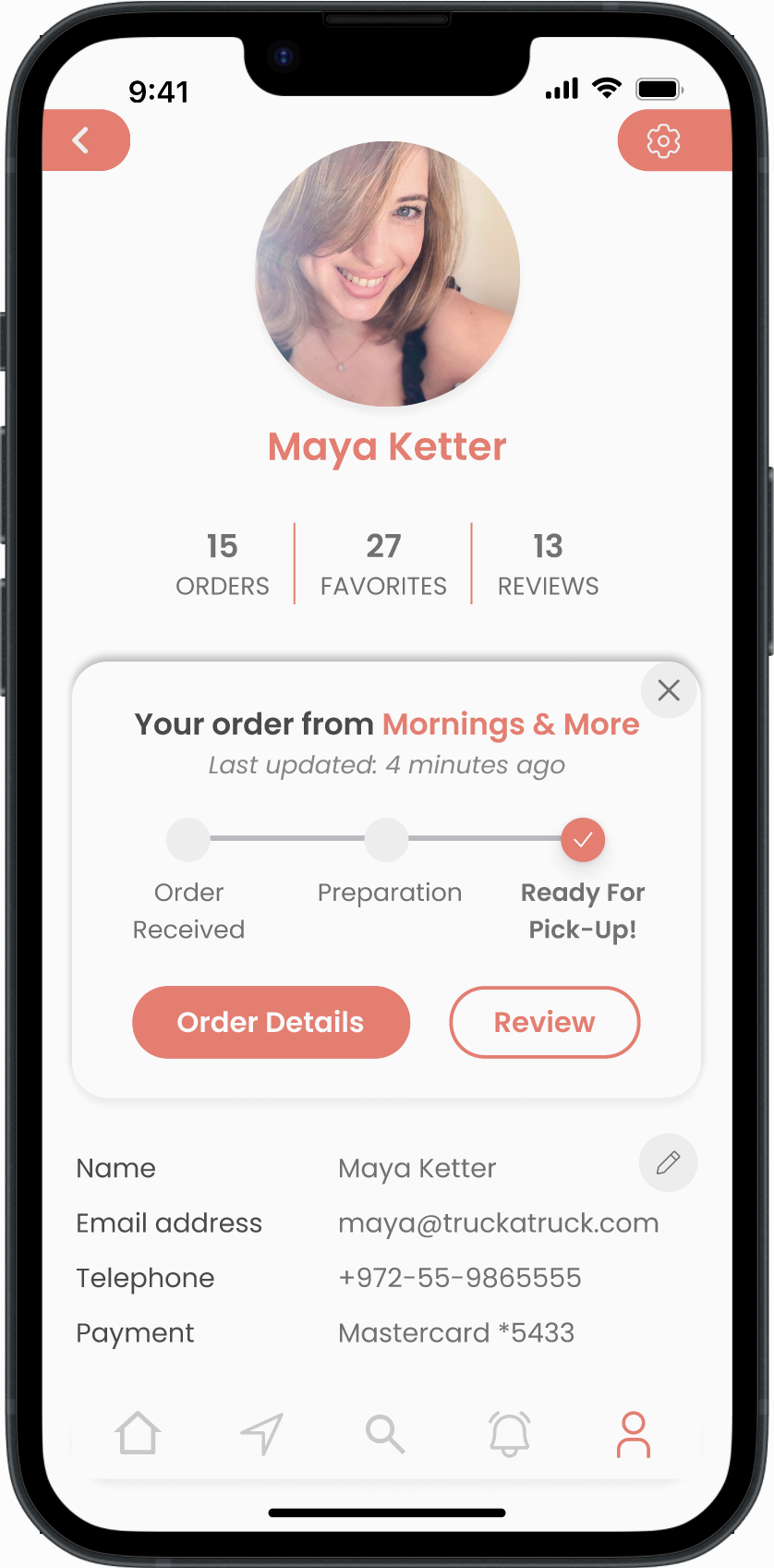
Profile

Users can track their order’s current status on the Profile page.
Once the order is ready, users can review their experience and share it with other users, and if needed – send a message to the truck owners (in case they need something extra, are running late and so on).

Users can also access their past orders, their favorite trucks & their submitted reviews.

Truck a Truck User Profile